Customize the dashboard charts
You can change the charts and information shown on the Dashboard by clicking on the gear icon in the top left corner.
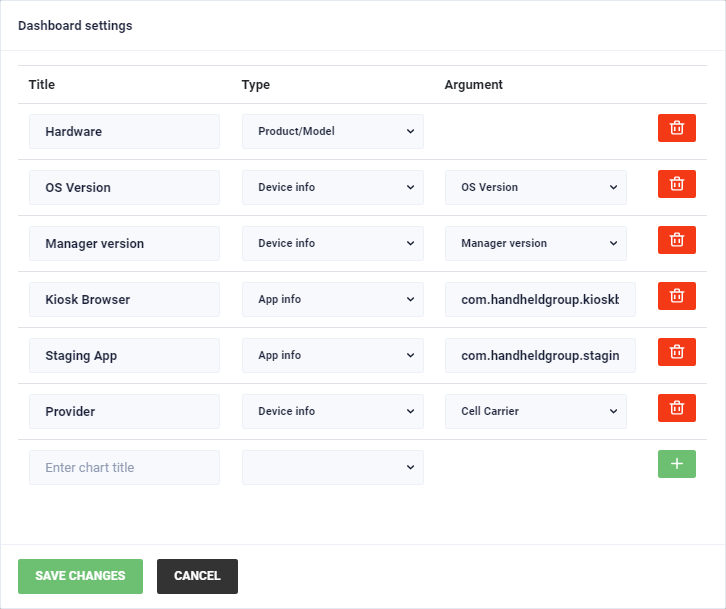
The first column you can choose the name of the chart.
After that you choose the type. The argument depends on the type you select.
The following types are available:
- Product/Model: Shows the hardware product. No argument required
- Device info: Shows the device info selected via the argument
- App info: Shows the installed version of the selected app. Provide the app package name as the argument
To add a new entry, fill out the row and click on the green plus button.
You can remove any row by clicking on the red trash icon.
Use the “Save changes” button at the bottom to save the changes or click “Cancel” to discard any changes.